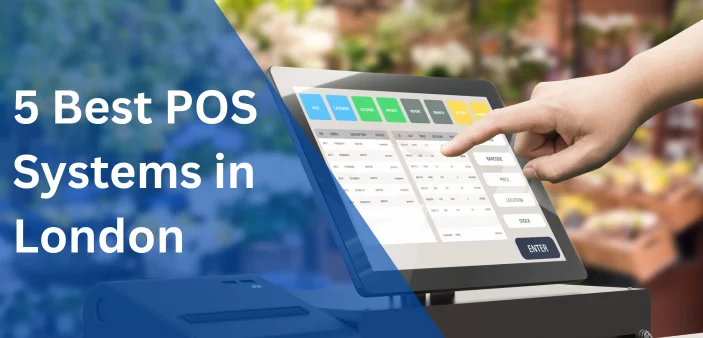
5 Best POS Systems in London 2026
In this guide, we compare the best POS systems in London, which are POSApt, Square, Clover, Lightspeed and Epos Now. We will be explaining what each platform offers and which businesses are likely to benefit the most.
Running a business in London means serving customers quickly while keeping daily operations organised. Whether you own a busy café, an independent retail shop, a neighbourhood pub or a growing restaurant, the right POS system in London can save time and improve the way your business operates. Modern POS software does much more than process payments. It can help manage inventory, monitor sales, organise staff, build customer loyalty and provide valuable business insights.
With so many options available, comparing POS systems in London is not always easy. Some platforms are designed specifically for hospitality businesses, while others are built around retail or general business management. The best choice depends on the type of business you operate, your budget and the features you are most likely to use.
5 Best POS Systems in London
1. POSApt – Best for Restaurants, Cafés and Hospitality Businesses
POSApt is a cloud-based POS system developed primarily for hospitality businesses. It is designed to help restaurants, cafés, takeaway shops, pubs and bakeries manage orders, payments and customer service through one platform.
Instead of treating the POS as only a payment terminal, POSApt brings together several parts of a hospitality business. Counter orders, online orders and QR table ordering can all be managed from the same system, helping staff stay organised during busy periods.
Some of its key features include:
- Online ordering
- QR table ordering
- Kitchen Display System (KDS)
- Customer loyalty programme
- Digital gift cards
- Sales reporting
One of its strengths is simplifying restaurant workflows. Orders move directly from customers to the kitchen without requiring multiple systems, reducing manual work and helping staff keep track of incoming orders.
The platform also includes loyalty rewards and digital gift cards, allowing businesses to encourage repeat visits while keeping customer information within the same system.
Although POSApt also offers retail functionality, its hospitality solution is currently the stronger product. Businesses in the food and beverage industry are likely to benefit most from its specialised features.
2. Square – Best for New and Small Businesses
Square has become a popular choice for businesses looking for a simple POS solution that is easy to set up and straightforward to use. It is particularly suitable for new businesses that want to begin accepting card payments without investing in complicated software.
The platform combines payment processing with essential business management tools, making it suitable for independent retailers, cafés, florists, beauty salons and market traders.
Its main features include:
- Integrated payment processing
- Basic inventory management
- Customer directory
- Sales reporting
- Online store integration
Many businesses appreciate how quickly staff can learn the software. The interface is clean and uncomplicated, reducing training time and allowing new employees to become confident using the system.
Square also supports businesses that sell both online and in-store by connecting product information and sales across different channels. For smaller businesses, this provides a convenient way to manage both physical and online sales without separate systems.
While larger businesses may eventually require more advanced inventory or operational features, Square remains a practical option for businesses wanting simplicity.
3. Clover – Best for Businesses Wanting Flexibility
Clover takes a different approach by allowing businesses to build a POS system that suits their own requirements. Rather than focusing on one particular industry, it offers a flexible platform supported by a range of hardware options and additional applications.
This makes Clover suitable for retailers, cafés, service businesses and other businesses that want software capable of adapting as their operations change.
Some of its core features include:
- Inventory management
- Customer database
- Employee management
- Business reporting
- Integrated payments
- App marketplace
Businesses can choose from different hardware configurations, ranging from compact mobile devices to larger countertop registers. This flexibility makes Clover suitable for businesses of different sizes and trading environments.
Another advantage is its app marketplace. Businesses can add extra functionality when required instead of paying for features they may never use. As operational needs change, additional tools can be introduced without replacing the entire POS system.
For owners looking for flexibility rather than industry-specific software, Clover offers plenty of room for customisation.
4. Lightspeed – Best for Retail Businesses with Large Product Ranges
Lightspeed is widely recognised for its advanced retail capabilities. It is particularly well suited to businesses managing extensive inventories, multiple suppliers and large product catalogues.
Retailers often need more than simple stock tracking. They need detailed information about product performance, purchasing trends and inventory levels to make informed business decisions.
Key features include:
- Advanced inventory management
- Purchase ordering
- Supplier management
- Customer database
- Multi-store inventory
- Detailed reporting
One of the platform’s biggest strengths is inventory control. Businesses can track products across multiple locations, receive stock alerts and monitor inventory movement from a central dashboard.
Lightspeed also provides detailed reporting that helps retailers understand which products generate the strongest sales and which items may require promotional activity or adjusted purchasing levels.
For businesses operating several retail locations, having centralised reporting and inventory management can simplify day-to-day administration considerably.
5. Epos Now – Best All-Round UK POS Provider
Epos Now has established itself as one of the UK’s most recognised POS providers by offering solutions for both hospitality and retail businesses. Its broad feature set makes it suitable for businesses looking for one platform that can support different operational requirements.
Rather than specialising in one industry, Epos Now provides tools that businesses can adapt to suit their own workflow.
Its main features include:
- Inventory management
- Customer management
- Staff permissions
- Business reporting
- Accounting integrations
- Multi-site management
The software supports businesses ranging from independent retailers to larger hospitality venues. Owners can monitor sales, manage inventory and review performance through one central platform.
Epos Now also offers a wide selection of compatible hardware, allowing businesses to choose equipment that suits their available space and budget.
For businesses wanting a well-established UK provider with balanced functionality, Epos Now is worth considering.
Why a Good POS System Makes a Difference
A POS system is one of the most frequently used tools in any business. Every sale, refund, product update and customer transaction passes through it, so choosing reliable software can have a noticeable impact on productivity.
For hospitality businesses, the right London POS system can improve communication between front-of-house staff and the kitchen while helping manage online orders and customer payments. For retailers, inventory accuracy, supplier management and sales reporting often become the priority.
Cloud technology has also changed the way businesses operate. Owners can now monitor sales remotely, update products from anywhere and access reports without being physically present in the store. This gives managers greater flexibility and helps them make decisions using real-time information.
Rather than selecting software based only on price, it is worth considering how the system will support your business over the long term.
How to Compare POS Systems in London
Understand Your Daily Workflow
Before comparing prices, think about how your business operates every day. A restaurant may prioritise online ordering and kitchen communication, while a retailer is more likely to focus on inventory management and supplier control.
Choosing software that supports your daily workflow usually provides greater long-term value than selecting the platform with the longest feature list.
Compare the Total Cost
The monthly subscription is only one part of the overall investment. Hardware, payment processing fees, optional add-ons and implementation costs should also be considered when comparing providers.
Looking at the total cost over several years often provides a clearer picture than comparing monthly fees alone.
Think About Future Growth
Many businesses expand over time by opening additional locations or introducing online sales. Selecting software that can grow with your business reduces the likelihood of needing to migrate to another platform later.
Cloud-based systems generally provide greater flexibility for businesses planning future expansion.
Don’t Overlook Customer Support
Reliable support can be just as valuable as the software itself. If technical issues arise during trading hours, responsive customer service can minimise disruption and help businesses continue operating smoothly.
Training resources and onboarding assistance are also worth considering, particularly for businesses introducing a POS system for the first time.
Common Features to Look for in a Modern London POS System
Every POS system in London offers different tools, but there are several features that have become increasingly important for businesses in recent years. Understanding these features can make it easier to compare different providers and decide which solution best matches your business.
Cloud-Based Access
Most modern POS systems are cloud-based, allowing business owners to access sales reports, update products and monitor business performance from almost anywhere with an internet connection.
This can be particularly useful for businesses with multiple locations or owners who are not always on-site. Instead of waiting until the end of the day to review sales, they can monitor performance in real time and respond more quickly when needed.
Inventory Management
Good inventory management helps businesses maintain accurate stock levels while reducing unnecessary manual work.
Many London POS systems automatically update inventory whenever a sale is completed. This makes it easier to identify products that are running low, monitor stock movement and avoid ordering items that are already available in sufficient quantities.
For retailers with large product ranges, inventory management can become one of the most valuable features within the POS system.
Customer Management
Many businesses focus on attracting new customers, but keeping existing customers can be just as important.
Some POS systems in London include customer profiles that store purchase history and contact information. This allows businesses to better understand customer buying habits and create targeted promotions or loyalty programmes that encourage repeat business.
Hospitality businesses may use these tools to reward regular customers, while retailers can use them to identify purchasing trends over time.
Reporting and Business Insights
Sales reports are no longer limited to showing daily revenue. Modern POS systems often provide detailed information about product performance, peak trading periods, staff activity and customer purchasing patterns.
Rather than relying on assumptions, business owners can use this information to make informed decisions about pricing, staffing and inventory. Over time, these insights can help improve efficiency and identify opportunities to increase profitability.
Integration with Other Business Software
Many businesses use accounting software, online ordering platforms or ecommerce websites alongside their POS system.
Choosing software that integrates with these tools can reduce manual data entry and improve overall efficiency. Instead of entering the same information into multiple systems, data can be shared automatically, saving time and reducing the likelihood of errors.
As businesses continue to adopt more digital tools, integration is becoming an increasingly important consideration when selecting a POS system.
Final Thoughts
Every business has different priorities, so there is no single POS system in London that suits everyone. Hospitality businesses may benefit most from features such as online ordering and kitchen management, while retailers often place greater value on inventory control and detailed reporting.
POSApt is designed with hospitality operations in mind, Square offers a straightforward solution for smaller businesses, Clover focuses on flexibility, Lightspeed is well suited to retailers with larger inventories, and Epos Now provides a balanced option for businesses wanting an established UK-based platform.
Before making a decision, arrange a product demonstration where possible and compare how each system fits your daily workflow. A POS system is a long-term investment, so choosing one that supports both your current operations and future plans is likely to deliver the best value.
Recent Posts